Meet with God,
every morning
Daily Grace is scripture-rooted devotions and guided audio prayer, in about ten minutes a morning. Read the promise, sit with it, write one honest line — and let the days add up into something you can look back on.
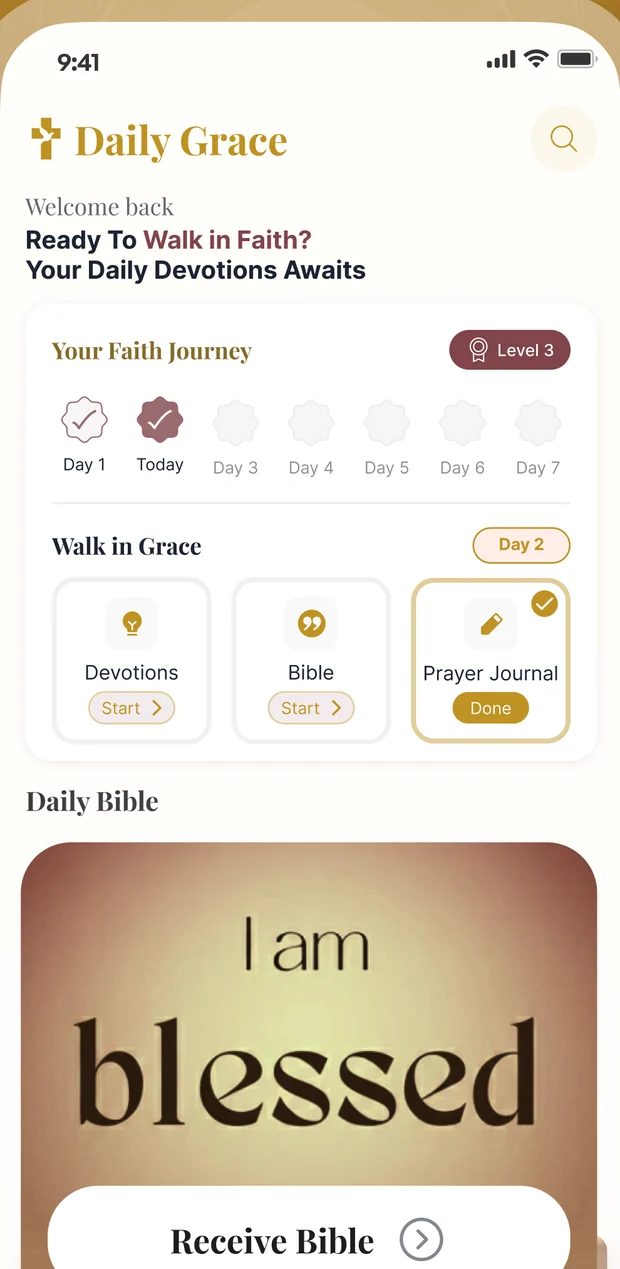
Ten minutes, three small things
Walk in Grace is the day's practice: a devotion, a passage, and a line in the journal. It fits before the school run.
Start with a devotion
A guided audio devotion to put on while the kettle boils — around ten minutes, with worship music underneath if you want it, and it keeps playing with the screen off.
Sit with the passage
Scripture, full-screen over real imagery, one verse at a time. Keep the ones that land, share them, or set one as your wallpaper.
Write one line
A prompt, a mood, a prayer. Weeks later the journal is a record of what you asked for and what came back — which is the part nobody remembers on their own.
A quiet time you will actually keep
The devotion is the front door. What keeps people coming back is everything built around it.
Guided audio devotions
Around ten minutes each, with a real player — shuffle, repeat, a scrub bar and fifteen-second jumps. It keeps going with the screen locked, and the controls sit on your lock screen.
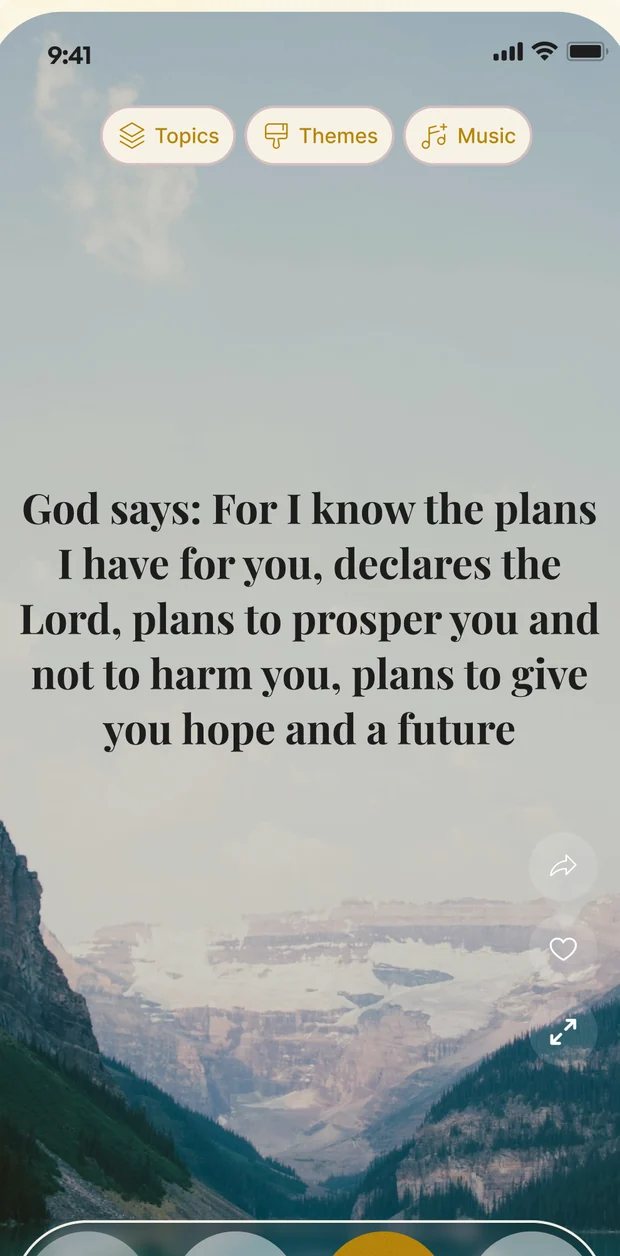
Scripture you will actually read
A full-screen verse over real imagery, swiped the way you swipe everything else. Tap once to strip the interface away and leave only the words.
A prayer journal that asks
A prompt instead of a blank page, plus a mood and a photo if you want one. Small enough to do on the mornings you nearly did not.
See how the season is going
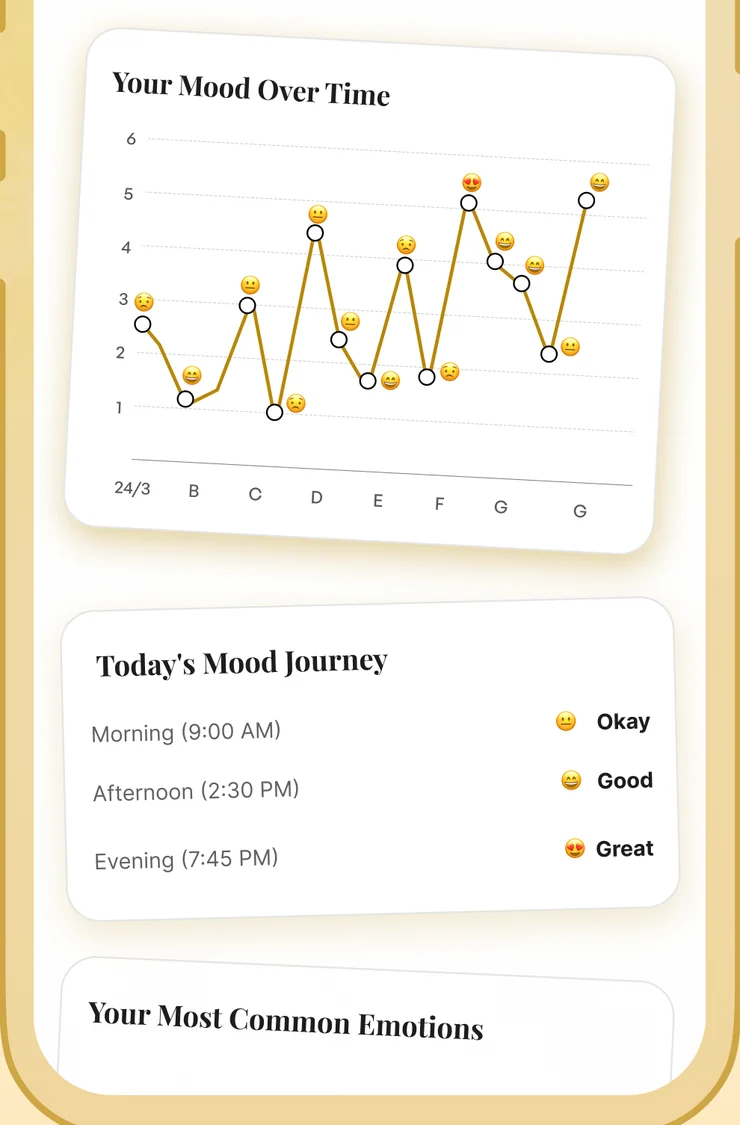
Your Mood Over Time, Today’s Mood Journey and Your Most Common Emotions — drawn from your own entries, not from a questionnaire.
Your Faith Journey
A level and a run of days that only counts mornings you actually showed up for. Miss one and the run resets; the level does not.
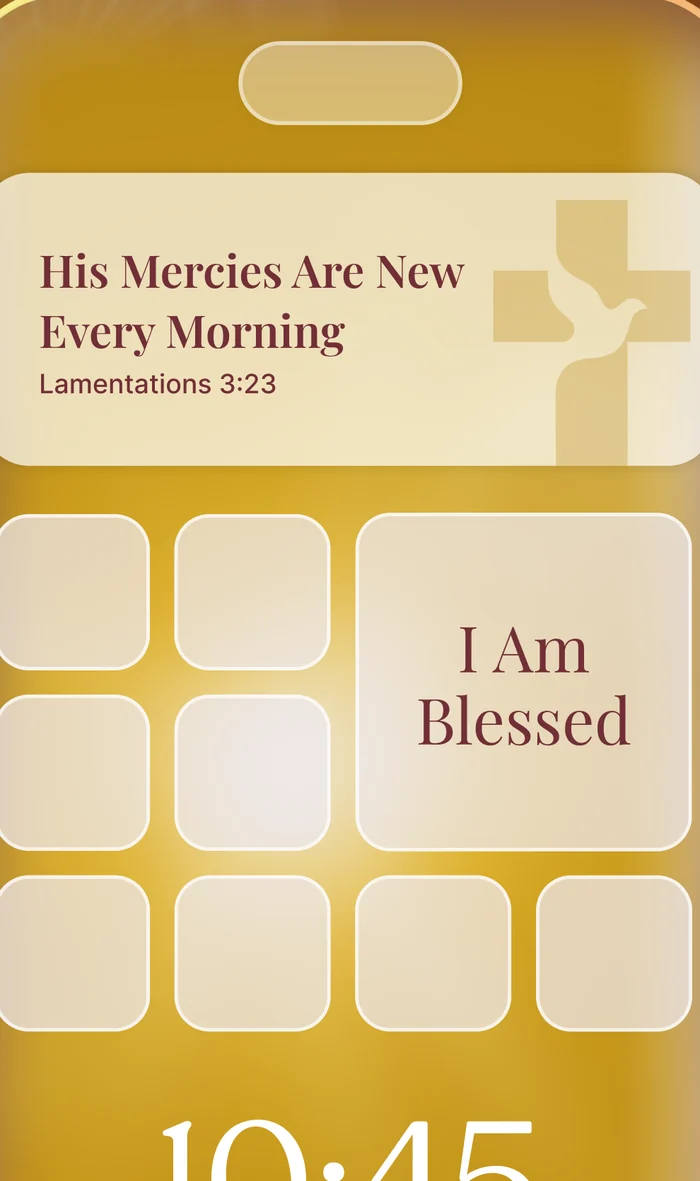
Scripture on your Lock Screen
A widget on the iPhone Lock Screen and Home Screen, and on Android’s home screen — a fresh verse a day, without opening the app at all.
Reminders that suit your morning
Pick a window and how often, and the app spaces the nudges across your day. Scheduled on your phone, at times you chose.
Collections & history
Keep the passages that carried you, group devotions into playlists, and find anything again from a searchable history.
Your journal is between you and God
What you write is stored under your own account so it follows you to a new phone, and that is all it is used for. It is not read for advertising, not used to train anything, and not shared. You can delete the account, and everything in it, from inside the app.
A promise, one at a time
A whole chapter first thing is a lot to ask. One verse, full-screen, over something worth looking at, is not — and it is far more likely to still be with you at lunchtime.
-
Browse by topic or theme Anxiety, provision, forgiveness — or change the whole look of the feed from the Themes picker.
-
Worship music underneath A browsable music library sits behind the practice, including a no-sound option when you want the words bare.
-
Keep it or send it Save a verse into a collection, share it with someone who needs it, or save the image and set it as your wallpaper.
-
Read aloud The app can speak a passage using your phone’s own voice, so nothing has to leave the device for it.
Watch your faith grow, one prayer at a time
The hard part of a prayer life is that answers arrive slowly and memory is short. The journal keeps the record: what you asked, how you were, and what changed — so you are not relying on how this particular morning happens to feel.
-
A prompt instead of a blank page You are answering a question, not staring at an empty box at 6am.
-
Your Mood Over Time Charted from your own entries, so a hard week reads as a dip rather than a verdict on your faith.
-
Today’s Mood Journey Morning, afternoon and evening side by side — the shape of a day, not just its average.
-
It has its own streak Journalling is tracked separately, so the writing habit builds even on mornings the audio does not happen.
His promises, without opening the app
Most devotional apps need you to remember them. A widget does not: the verse is simply there when you pick up your phone, and one tap opens it in full.
-
Lock Screen and Home Screen Small and medium widgets on the iPhone Home Screen, a rectangular one on the Lock Screen from iOS 16, and a resizable widget on Android.
-
A new verse every day Chosen from the same pool as the app, refreshed once a day, and picked up again if a refresh is missed.
-
Styled the way you like it A choice of background themes and text sizes, or one of your own images behind the words.
-
Tap through to the passage The widget deep-links straight to that verse, not just to the app’s home screen.
Straight from inside the app
Real screens: your morning, a passage, the journal charts and the widget.
Taken from the Daily Grace App Store screenshots. The passages, moods and days shown are examples — what you see depends on what you choose and the mornings you put in.
What you get with Daily Grace
Daily Grace is free to download, and full access comes with a subscription. Where your store offers an introductory offer or a free trial, the purchase screen shows it before you commit.
Start with the appPrice, any introductory offer and renewal terms are set by the App Store or Google Play and are shown on the purchase screen in your region before you buy. A subscription renews automatically unless you cancel before the renewal date, and you can cancel any time from your store subscription settings.
-
The full devotion library Every topic and season, not a sampler.
-
Guided audio prayer Around ten minutes a morning, with background playback.
-
Prayer journal & insights Prompts, mood tracking and the charts built from your entries.
-
Themes & widgets The full theme gallery, plus Lock Screen and Home Screen widgets.
-
Ad-free Nothing between you and the passage in front of you.
Questions, answered
The things people ask before they download.
Start tomorrow morning
Ten minutes, before the day gets hold of you. Free to download.